How to find the paint colour you used
The tin went in the skip, the wall's scuffed, and "off-white" turns out to be four hundred off-whites. Here's how to get the code back.
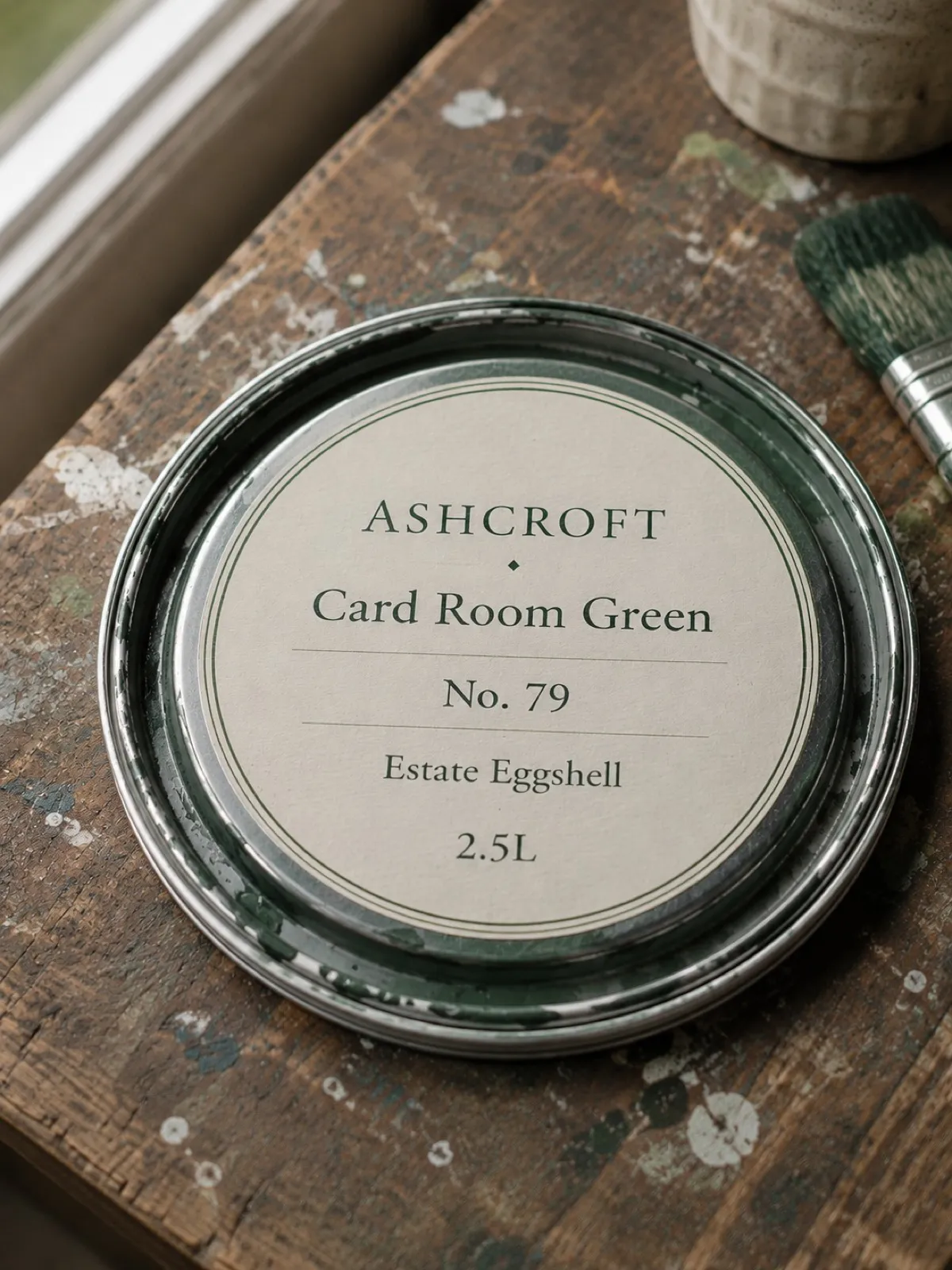
Somebody puts a chair through the hallway wall. You need one small tin of exactly the right green, and every clue about which green it was left the house in a skip eighteen months ago.
Work through these in order. The first one that lands saves you the rest.
Look for the tin before you look anywhere else
Half a litre usually survives, in the garage or under the stairs, gone gummy but still labelled. The lid carries the brand, the colour name, the code and the finish — and the code is the part that matters, because colour names get retired and reused while codes don’t.
If you find it, photograph the lid now, before you put it back. That’s the whole of this page, done in two seconds.
Then look for the paper trail
The tin is gone but the transaction probably isn’t:
- Email. Search your inbox for the retailer’s name rather than for “paint” — order confirmations lead with the shop, and most of them itemise the colour.
- The shop’s order history. Dulux Decorator Centre, B&Q, Homebase and most trade counters keep years of it behind a login, and a mixed-to-order tin is always itemised, because they had to know the formula to mix it.
- Card statements, to get you the date and the branch, which is enough for a trade counter to find the order at their end.
- Whoever painted it. Decorators keep specs for exactly this reason. It’s a two-line message and it works more often than people expect.
Then look at your own camera roll
You may already have the answer and not be able to reach it. Open your photos and search for
paint — both Google Photos and Apple Photos read text inside images, so a shot of the tin will
often come back even though you never labelled it.
Try the room, the month, and the brand as well. And be ready for this to fail on a photo you’re certain you took: text search is only as good as the light and the angle on the day, and a curved tin in a dim garage defeats it regularly.
Last resort: match it off the wall
Cut a chip about the size of a stamp from somewhere that doesn’t show — behind a radiator, inside a cupboard, low behind a door — and take it to a trade counter. Their spectrophotometer reads it and mixes to it.
Two honest warnings about matching, because it gets recommended far too casually:
It matches the wall, not the tin. Paint fades, yellows and picks up whatever the room does to it. The match is faithful to a six-year-old surface, so a patch mixed from it can sit oddly against the rest of the wall you were trying to blend into.
The finish is a separate problem. Matte, eggshell, satin and silk in the same colour read as different colours under a light, and the chip won’t tell the counter which one you had.
Where the wall is one flat plane, the reliable fix is to repaint that wall corner to corner. Where it’s a small nick on a busy hallway, a close match nobody will ever notice is fine.
So it doesn’t happen with the next tin
Photograph the lid before it goes. That’s it — no filing, no app open, no decision about where it belongs.
Keeplea is built for exactly this: it reads the brand, the colour name, the code and the finish off the photograph and keeps them as a record you can ask for in ordinary words. The green paint in the hallway brings back the tin with the numbers still legible, and with the date you photographed it, which is often the thing that settles an argument about which room got which colour.
It’s worth saying what it doesn’t do. It can’t tell you about paint you never photographed, and it isn’t matching or measuring anything — it keeps what the tin said, accurately, for as long as you want it. For a colour that’s already lost, the sections above are your route. For the tin that’s open in front of you right now, two seconds is the whole cost.